


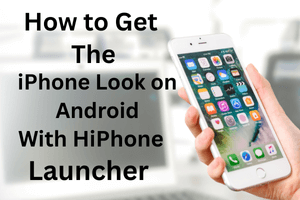
People don’t usually plan to change their phone launcher. It just happens. One day you unlock your phone, look at the screen, and nothing feels exciting anymore. Same icons. Same layout. Same swipe, every single day. The phone works fine, but it doesn’t feel fresh.
That’s when launcher apps enter the picture. Not as a big decision, but more like curiosity. HiPhone Launcher OS Phone is one of those apps people try when they want their Android phone to feel a little different, without actually changing anything important.
Table of Contents
- What This Launcher Really Changes
- First Reaction After Installing
- Using It During Normal Days
- Customization That Stays Simple
- Control Center and iOS-Like Touches
- Battery and Performance in Real Use
- Ads and the Free Version Experience
- Who This Launcher Makes Sense For
- Better as a Short Break, Not Forever
- Final Thoughts
What This Launcher Really Changes
HiPhone Launcher OS Phone is basically an iOS-style launcher for Android. It doesn’t touch your system files, and it doesn’t turn Android into iOS. It mainly affects how your home screen looks, without touching how the phone actually works underneath.
Once you apply it, the phone starts looking closer to an iPhone. Apps sit directly on the home screen instead of hiding in a drawer. Icons are rounded and neatly spaced. The screen feels cleaner, almost calmer.
First Reaction After Installing
The first few minutes feel oddly quiet. The screen looks simple, almost empty at first. If you’ve used an iPhone before, the layout feels familiar right away. If not, it still doesn’t take long to understand.
Most people spend a few minutes just swiping. Opening apps. Locking the phone and unlocking it again. Not because they need to, but because they want to see the screen again. That small curiosity is part of why people try launchers in the first place.
Using It During Normal Days
On busy days, you won’t think much about the launcher. You unlock your phone, reply to messages, open apps, and move on. In everyday use, it stays quiet in the background and doesn’t interrupt how you normally use your phone.
On slower days, when you’re casually checking the time or scrolling without much purpose, the clean layout stands out more. The screen feels less crowded. There’s a small sense of order there, especially if you don’t like too many visual elements.
Performance stays fine on most phones. On older devices, animations may not feel perfectly smooth, but nothing breaks. The launcher remains usable.
Customization That Stays Simple
HiPhone Launcher doesn’t try to impress you with endless settings. You can change wallpapers, adjust icon sizes, and choose iOS-style themes. That’s mostly it.
For some users, this will feel limited. If you like controlling every tiny detail, you might feel restricted. But for others, this is actually a relief. You don’t waste time tweaking things. After setting it up, it doesn’t demand any regular tweaking or checking.
Control Center and iOS-Like Touches
One feature people notice quickly is the iOS-style control center. A swipe brings up quick options like Wi-Fi, brightness, and sound settings. It’s not exactly the same as real iOS, but visually it comes close.
Notifications and some lock screen elements also follow the same style, which helps everything feel consistent instead of mixed.
Battery and Performance in Real Use
Battery drain is always a concern. In real use, HiPhone Launcher uses slightly more battery than a basic Android launcher, but the difference isn’t dramatic.
If you already spend time on social media, video apps, or games, the launcher won’t suddenly become your biggest battery issue. It mostly reacts only when you interact with the screen.
Ads and the Free Version Experience
The launcher is free, and ads are part of the deal. You’ll mainly see them while browsing settings or themes. They can feel annoying at times, especially when you’re trying different options quickly.
Once everything is set, ads don’t interfere with normal phone usage. There is a paid option to remove ads, but it’s optional. Many users stay on the free version without much trouble.
Who This Launcher Makes Sense For
HiPhone Launcher OS Phone suits people who like changing their phone’s look from time to time. If you enjoy the iOS look on Android, you’ll probably like it.
If you prefer stock Android, heavy customization, or very lightweight launchers, this may not be for you. It really comes down to personal preference.
Better as a Short Break, Not Forever
After a few weeks, the new feeling fades. The icons stop feeling special. The layout becomes normal. That’s not a flaw, it’s just how visual changes work.
This launcher works best as a temporary refresh. You enjoy it for a while, then move on when you feel like switching again.
Final Thoughts
HiPhone Launcher OS Phone is not meant to completely change your phone or make it feel like a brand-new device. It gives an iOS-style home screen for Android users who want a slightly different look.
There are small benefits, and there may be minor annoyances too, which is normal for any launcher. Results can vary depending on your device and how you use it.
Think of it as a short-term change—you might enjoy it for a while, but you can always switch back to your regular setup. Some people may like it, and others may prefer sticking to their usual Android look.

